How a Pause Moment pause works, step by step
Pause Moment is a phone lock that shows your photo and your written words instead of an alarm. When a pause fires, your screen locks for 1 to 10 minutes: silent, personal, the message you wrote to yourself when you were thinking clearly. Other reminder apps push notifications you swipe away in half a second. Pause Moment does not notify. It locks. There is no swipe, no snooze, and no ads.
Why your photo and your words, not an icon and a beep
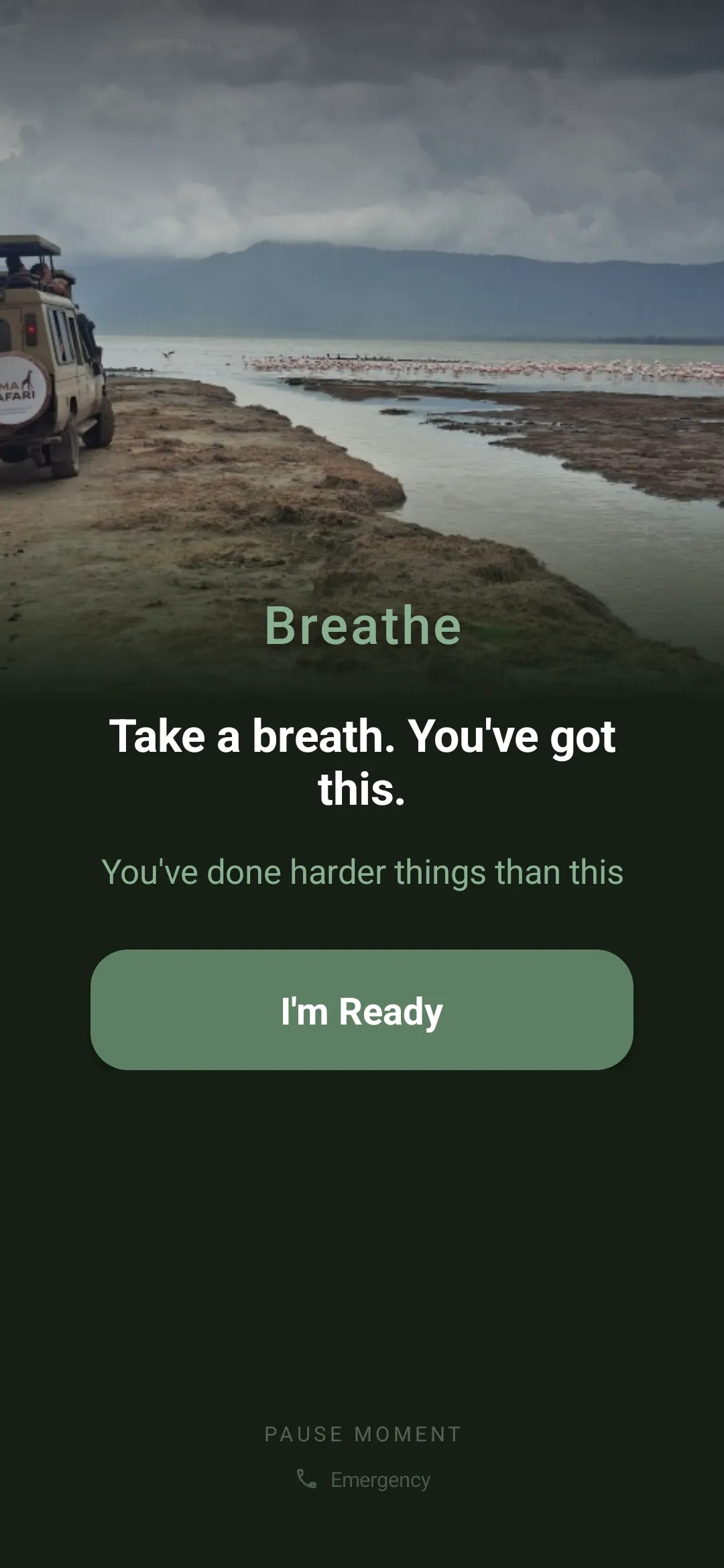
Interruption is a design problem. The usual answer is to make the interruption louder: louder alarms, more notifications, vibration patterns that feel like an emergency. Loud trains you to dismiss. After a week of louder alarms, your hand swipes them away before your mind registers what they were for. Pause Moment uses a different lever. It does not make the interruption louder. It makes it personal.
Your photo is whatever you need to see at the moment your screen locks. It might be your kids, with the words “I’m doing it for them.” It might be your medication bottle, with the words you would say to yourself if you were not tired. A pill icon is the same pill icon for everyone, and after three days your eye stops registering it. The face of someone you love does not become wallpaper. Personal images are the one kind of image your attention does not learn to filter out.
Notification text is written by an app. Your words are written by you, when you were thinking clearly. The version of you that wrote them had context the tired end-of-day version does not have. Pause Moment hands the message from your past self to your future self, on the screen, at the moment you need it. A notification with your photo is still a notification: you can swipe it in half a second. A locked screen with your photo holds the moment. The photo is yours, the words are yours, the lock is what gives them a chance to land.
What happens when a pause fires
Every pause follows the same five beats. The structure is the product.
The cue. When the pause is ready, a start sound plays: your phone’s default alarm sound, another sound you pick, or none if you switch it off. The screen shows your photo, your words, and one button: “I’m Ready.” This is the only moment you can choose not to begin. Tap it and you are in for the time you set.
The lock. From “I’m Ready” on, the screen is locked for the time you chose: 1, 2, 3, 5, or 10 minutes. You cannot swipe away and you cannot exit early. Most reminder apps let you slide past the moment of decision. Pause Moment holds it open long enough for the action to happen.
The pause itself. The pause is silent. Your photo sits at the top of the screen. Your words appear underneath, line by line, one breath at a time. A breathing ring counts down in the corner. There is nothing to do and nothing to dismiss.
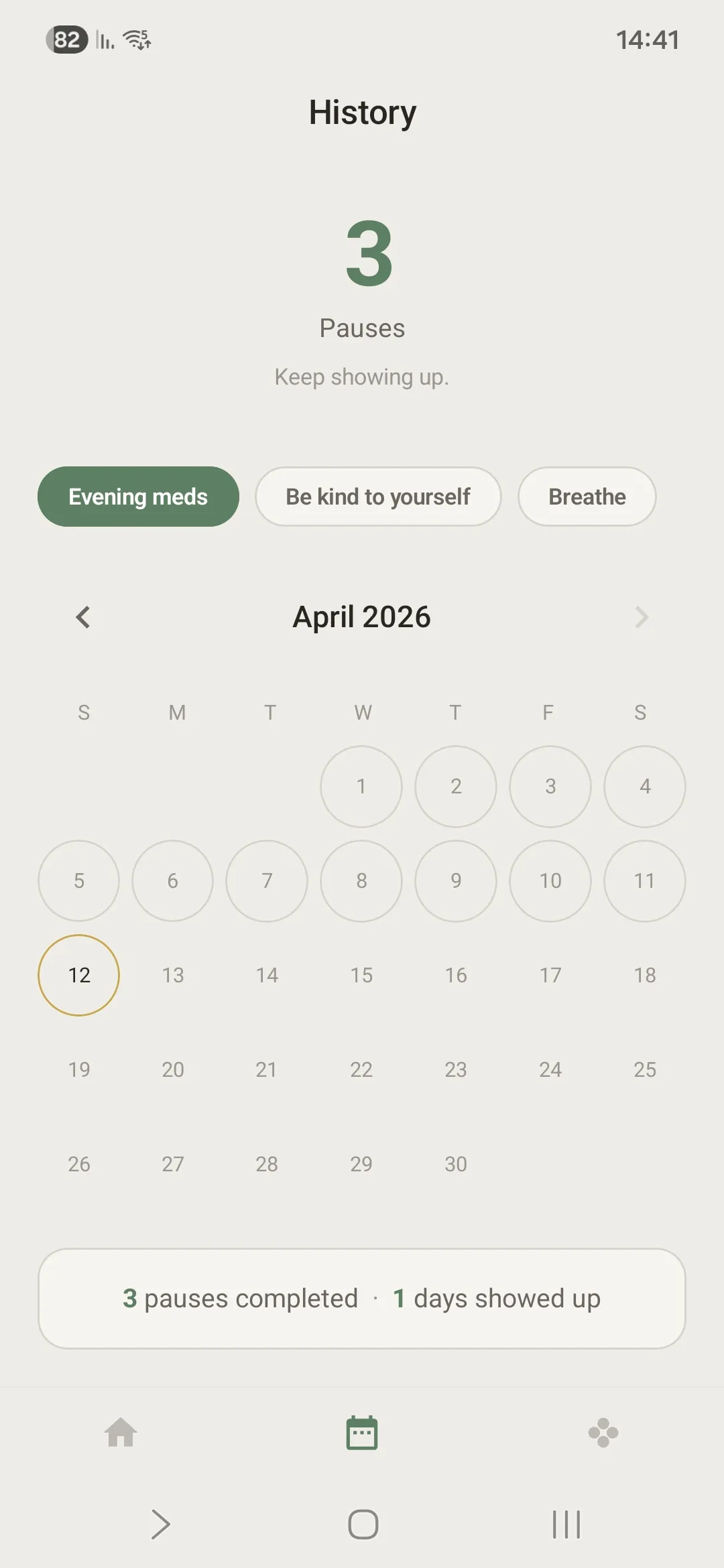
The close. When the time ends, the screen stays locked until you choose “Done” or “I skipped this time.” Both are honest. Done means you took the action: the medication, the moment with your kids, the breath. Skipped means you did not, and you are saying so. Skipping breaks nothing. We count pauses, not streaks, because streaks turn into guilt and honest counts turn into clarity.
The celebration. Tapping Done shows a brief, quiet celebration. The pause is logged. You go back to your day. For recurring moments (focus sessions, hourly breathing, an evening routine) Pause Cycles repeat the same structure on the schedule you set.
Two things can interrupt a pause: an incoming call, which comes through by default, and your Safe People, two contacts you chose who can be called with one tap from the bottom of the locked screen if something needs real attention.
What stays on your phone, and what leaves it
Pause Moment does not need to know you to work for you. Its job is to lock your screen and show you your own photo and words, and none of that needs a server. Your photos, your words, your pause history, your fire, and your Safe People are stored only on your device. There is no account and no cloud sync. Delete the app and the data goes with it.
Two things can leave the phone, and neither carries your content. If the app crashes, an anonymous crash report goes to Google Crashlytics with the technical details needed to fix the bug. If you switch on “Share anonymous usage data,” anonymous usage counts go to Google Firebase so we can see which features are used; it is off by default and you can turn it off at any time. Purchases go through Google Play. The privacy policy lists every item.
What Pause Moment cannot see: the content of your photos, the words you wrote, who is in your photos, who your Safe People are, or what time you take your medication. The app on your phone knows those things. We do not.
Why it exists
I built this because I kept dismissing every other reminder. Louder alarms made me angrier; gentler ones made me forget faster. What worked, eventually, was looking at my own photo (my kids, my reasons) and reading words I had written to myself when my head was clear. Pause Moment is that mechanism, made repeatable.
Ezra Halevi. The founder story.
This is not a notification. This is a pause.
Free to start. Android today, iOS on the way.